


Shipit is an easy and reliable solution for online store shipments. And most importantly, the customer service works! When you have questions or problems, you can quickly reach a real person and don't have to wait around.
Shipping Tool Instructions
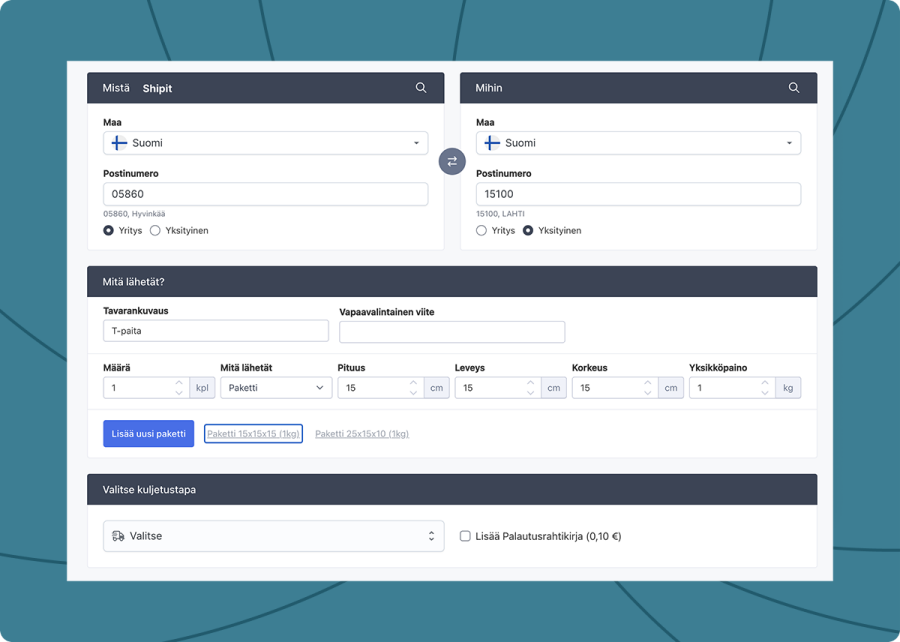
Welcome to the preliminary user instructions for Shipit's new program! We have designed the instructions so that you will get all the necessary information for implementing and effectively utilizing the program. Our goal is to help you achieve maximum benefit from the comprehensive new features offered by the program.

Order History
The order history section of the new program provides a detailed view of all previous shipments. In this section, you can review and manage past orders, track shipment status, copy orders, create return waybills, and reprint address labels.

Address Book
Shipit's new address book is a convenient tool that allows you to easily save and manage recipient contact information efficiently. The address book makes the shipping process faster and more error-free, as you can select recurring shipment recipients directly from saved contacts without having to re-enter information each time. You can easily import a ready-made address list to the new address book as a CSV file.

Commercial and Proforma Invoice
In Shipit's new program, filling out commercial and proforma invoices has been made very easy. The program offers a user-friendly interface that allows you to quickly enter the necessary information.

Posti JJFI Tracking Number
When adding a Posti contract, you will also need a sequential JJFI tracking number.
The JJFI number format is: JJFI + customer ID + sequential number + check digit (e.g. JJFI 444001 10200004 597). The sequential number increases by one for each new shipment.
Enter the most recent JJFI number you have used — Shipit will automatically continue the sequence from there.
If you use other services alongside Shipit, make sure each service has its own number range to avoid conflicts.

Shipit is a reliable partner for us. It automates a large part of our webshop’s shipping process, but when we need it, we can also get help from a real person. For a small webshop, that combination is incredibly valuable: automation, great delivery options and personal service.

One of our customers recommended Shipit as a solution. They had found creating contracts and shipping labels on different courier services' own websites cumbersome. Shipit offered the same services but with just one contract – and practically with one button press. We knew that other customers would be interested in the service too, as we actively engage in international trade.

I understand a lot about IT, but I know nothing about coding. However, Shipit's system was really easy to implement. I just downloaded the app and installed it, and that was it," Harjula appreciates. Additionally, Shipit has ready-made contacts for international operations. Versatile, easy, and friendly – generally describes how things are handled.

Shipit has been an excellent partner for SME needs, and through their service, we can deliver packages to both B2B and B2C customers in Finland and abroad: Shipit offers a wide range of different shipping companies' delivery methods for our use, and also enables international e-commerce shipments at competitive prices.
We were complete beginners with shipping at first. We had challenging products and often had to rely on Shipit's consultation. Still, they patiently reminded us many times about important matters! Shipit is very service-oriented and shipping-related issues are always resolved quickly. It's also really nice that familiar people who know our company and its shipments always answer the phone.
Shipit was an interesting option because its integration to the website was made so easy. Shipit is fast, efficient and friendly. We always get answers to all our questions and suggestions for all our needs. The customer service experts are really friendly.

Shipit has been our partner in delivering LED products for several years. The e-commerce integration works well and it's easy for the order processor to send different packages quickly. If there have been any uncertainties with deliveries, Shipit's customer service has resolved the issues promptly directly with the shipping company. We are very satisfied customers!

Shipit is an amazingly good partner for e-commerce merchants - we have been working with them for several years. Customer service helps with many different problem situations quickly and professionally. I warmly recommend Shipit to all online retailers!

Contact Us
Whether it's about our new program or choosing delivery services domestically or internationally, we're happy to help you. Send us a message and we'll respond by the next business day at the latest.

Posti supports you through the year-end season
October 19th, 2026


Shipit's Christmas Parcel 2026
October 13th, 2026